What’s New?
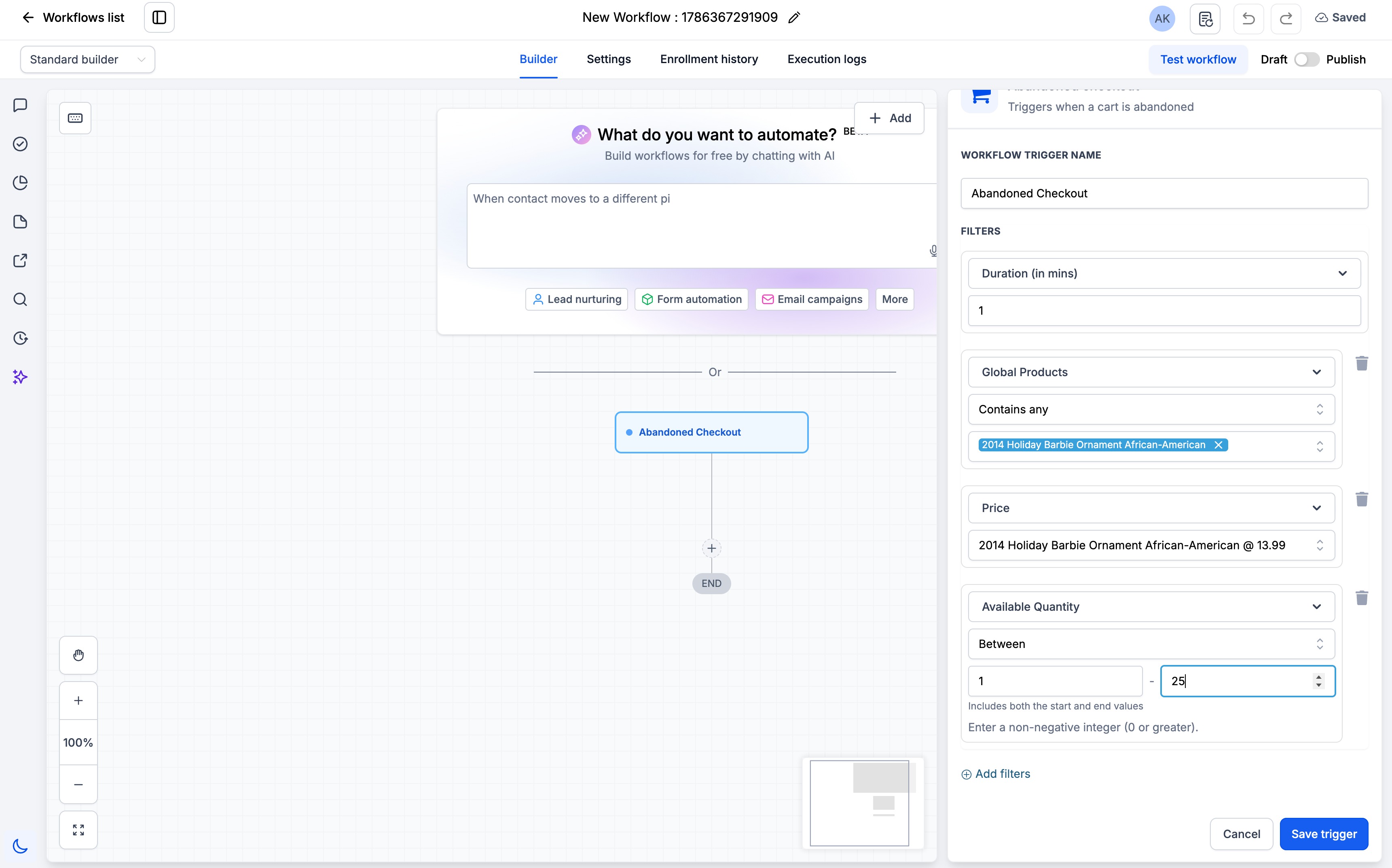
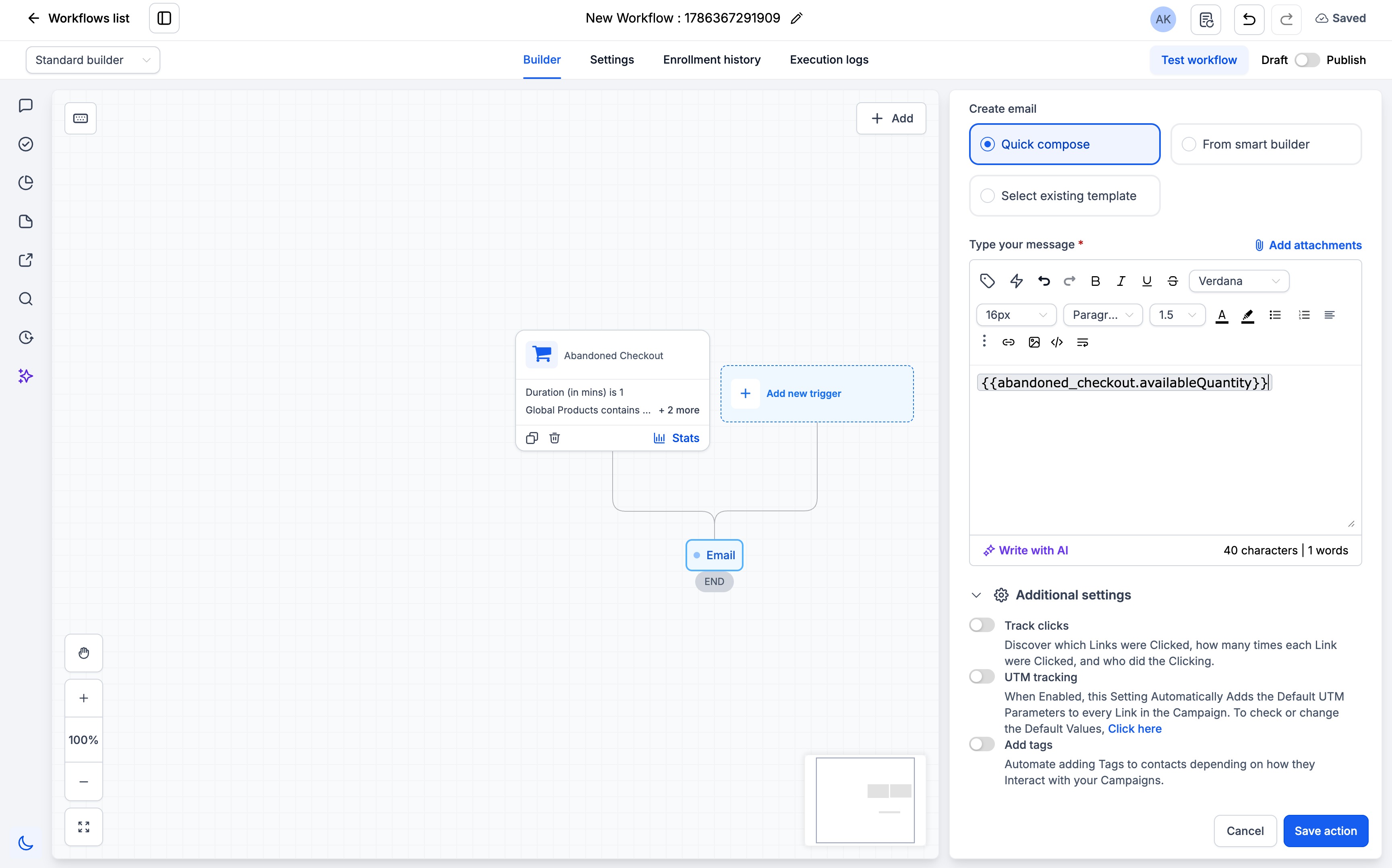
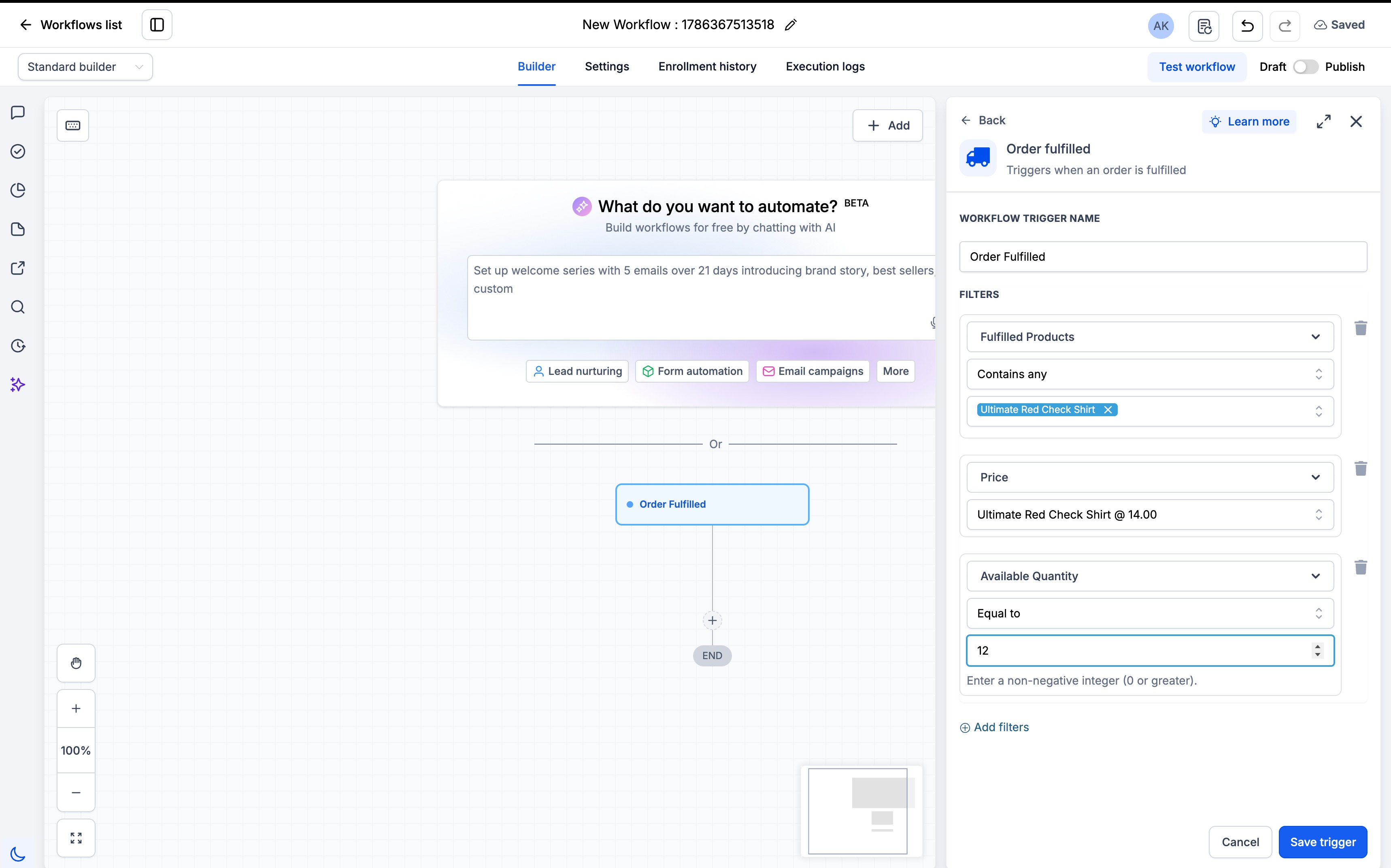
The Abandoned Cart and Order Fulfilled workflow triggers can now use Available Quantity as a filter and custom value, helping users build automations based on product inventory levels.
How to Use It?
- Select the Abandoned CartorOrder Fulfilled trigger.
- Add Global Productsin the workflow filters.
- Select a single Price, then configureAvailable Quantityusing the required condition and numeric value.
- Use Available Quantity or Price as a custom value in supported workflow actions.
Key Points to Note:
- Filters are nested in this order: Global Products > Price > Available Quantity.
- The first iteration supports only a single Priceandsingle numeric quantity value.
- Price and Available Quantity are not supported in If/Else blocksin this iteration.
Images:
Was this article helpful?
That’s Great!
Thank you for your feedback
Sorry! We couldn't be helpful
Thank you for your feedback
Feedback sent
We appreciate your effort and will try to fix the article