What’s New?
Businesses can now redeem a customer’s Gift Card while collecting payments directly from an appointment — across
Meetings, Services, and Rentals
calendars.Previously, Gift Cards could only be redeemed by customers through customer-facing checkout flows. With this update, businesses can apply a customer’s available Gift Card balance when collecting a payment on their behalf, including when charging a saved card or adding a new card.
This brings Gift Card redemption to
offline/off-session Calendar payment flows
, creating a consistent redemption experience regardless of who initiates the payment.How Does It Work?
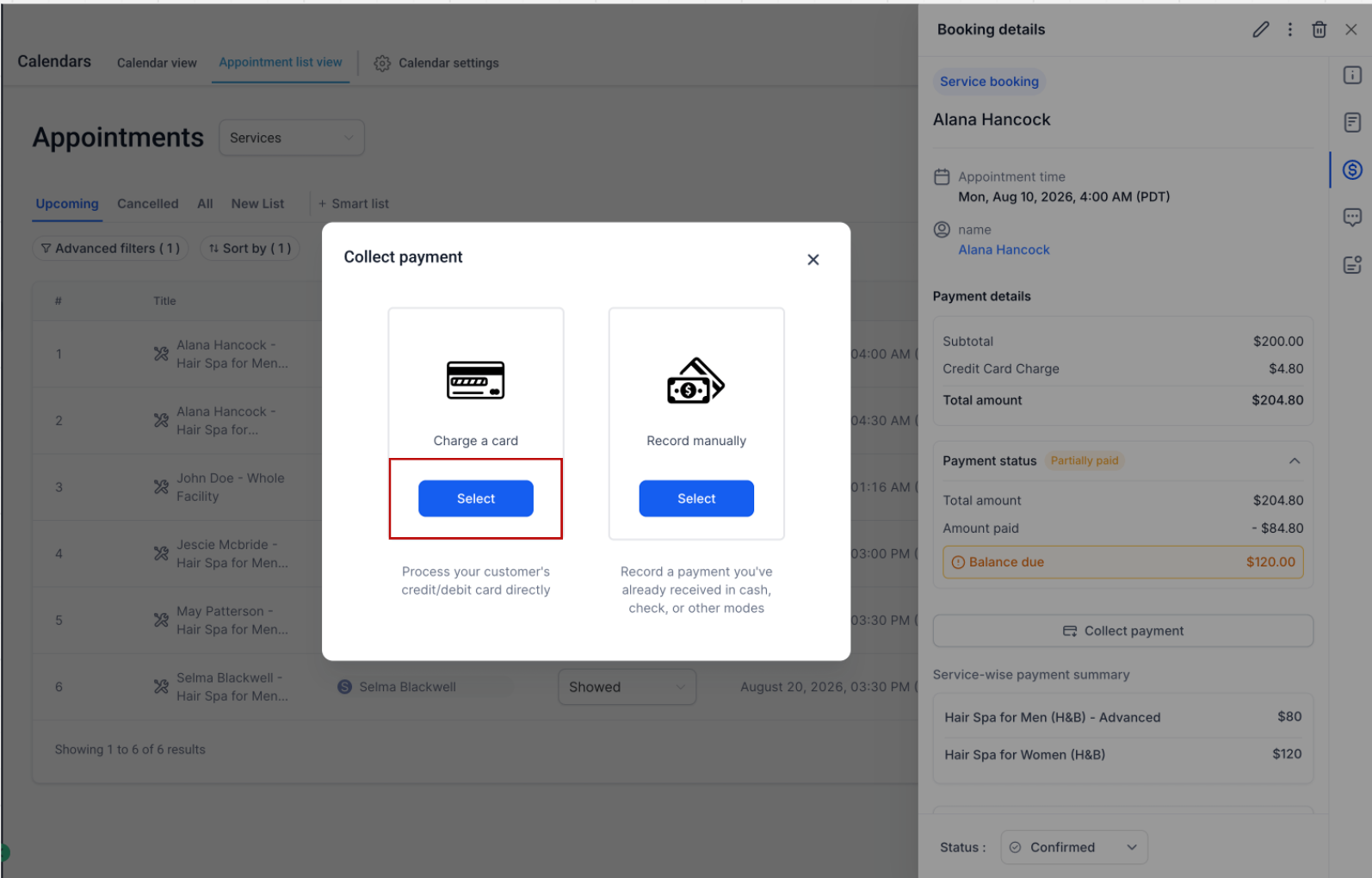
To redeem a Gift Card for an appointment:
- Open the Appointment.
- Navigate to the Paymentstab.
- Click Collect Payment.
- Select Charge a Card.
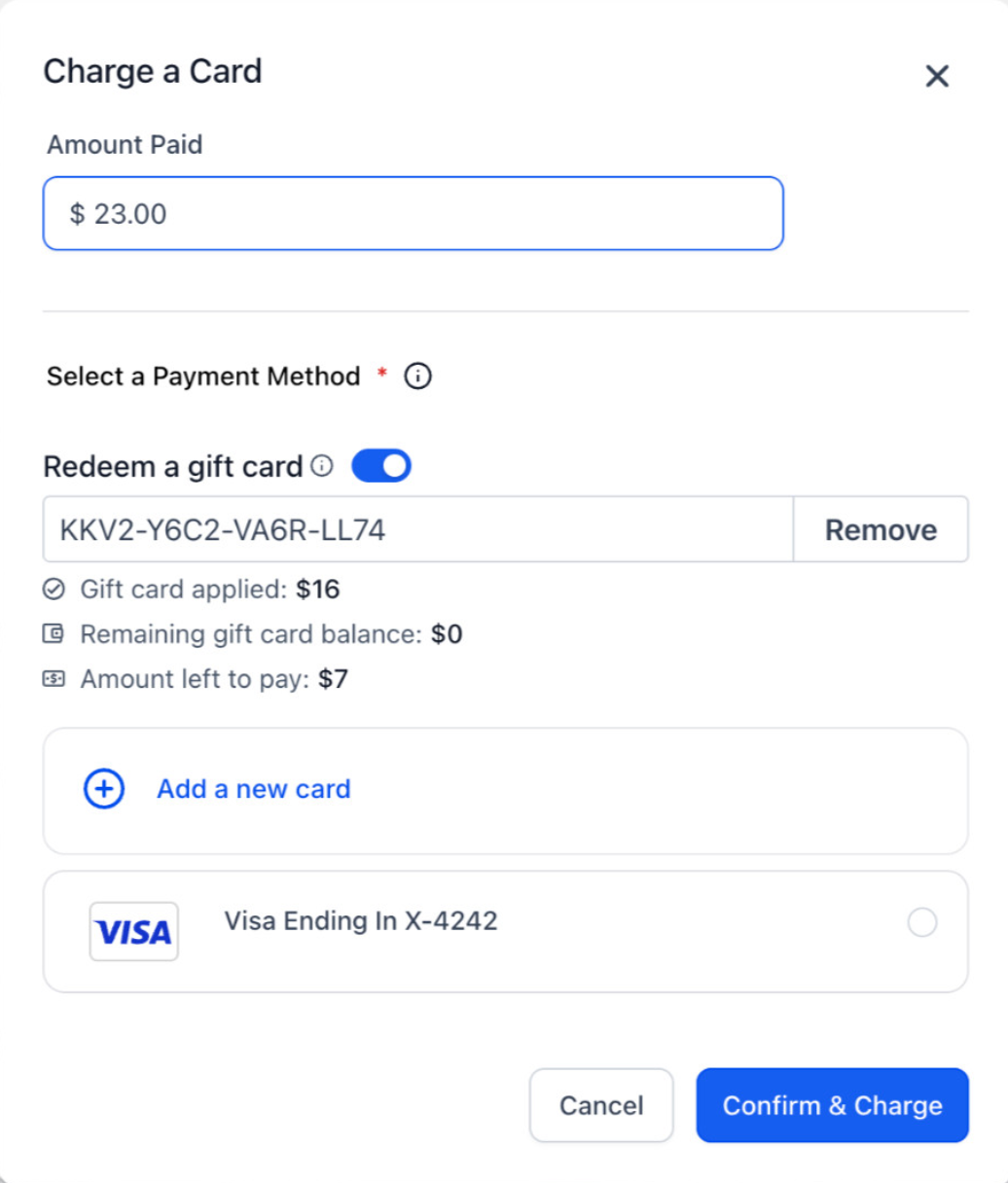
- Choose Redeem a Gift Cardand apply the customer’s available balance.
The Gift Card balance is applied before any remaining amount is charged to the customer’s saved payment method.
Consistent Gift Card Redemption
Gift Cards now behave the same way whether the customer or the business initiates the payment:
- Full balance available:If the Gift Card covers the entire payment, no additional payment method is charged.
- Partial balance available:The Gift Card is redeemed first, and the remaining amount is automatically charged to the customer’s saved payment method.
- Invalid or unavailable balance:Clear validation messages are shown for invalid, expired, or zero-balance Gift Cards.
This means businesses can confidently accept Gift Cards regardless of who is initiating the transaction.
Better Payment Visibility
Whenever a Gift Card is redeemed:
- Transaction Detailsclearly show the amount redeemed using the Gift Card.
- For split payments, the Gift Card amount and the amount collected through the other payment method are displayed separately.
- The associated Gift Card Orderis automatically updated with the remaining balance after every successful redemption.
Was this article helpful?
That’s Great!
Thank you for your feedback
Sorry! We couldn't be helpful
Thank you for your feedback
Feedback sent
We appreciate your effort and will try to fix the article